

Scaling your business demands an accounting solution that evolves with you, providing robust control without sacrificing simplicity. For growing enterprises navigating complex financial landscapes, the right software is not just an asset, it’s a strategic imperative.
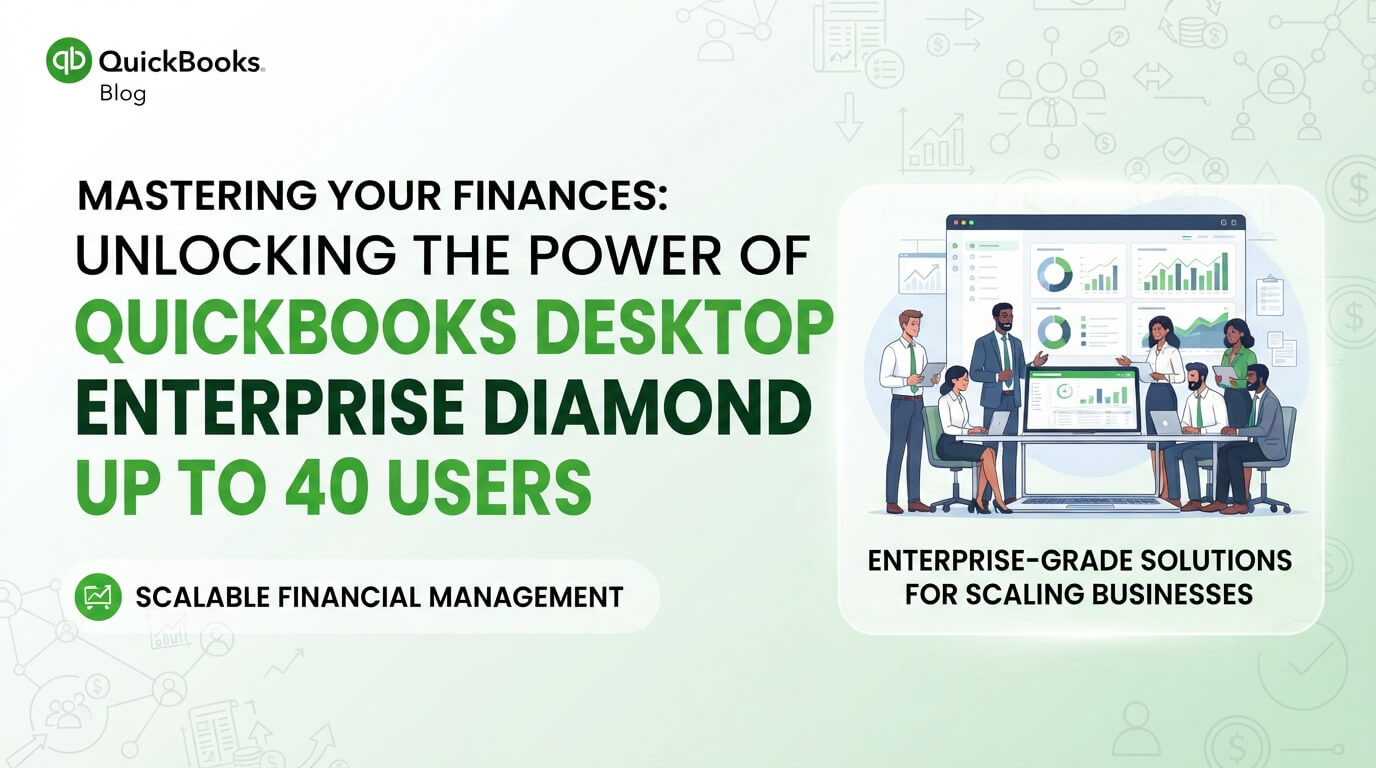
Quick Answer: QuickBooks Desktop Enterprise Diamond up to 40 users is the premier, most feature-rich edition of QuickBooks for large small-to-medium businesses needing extensive multi-user capabilities, advanced inventory, enhanced payroll, and comprehensive reporting. It provides unparalleled scalability, security, and specialized tools to manage complex financial operations and empower up to 40 simultaneous users, making it the ultimate solution for sustained growth and intricate financial management.
For businesses experiencing rapid expansion, the demands on accounting software multiply quickly. Standard solutions often fall short, leading to inefficiencies, data silos, and a lack of real-time insights crucial for strategic decision-making. This is precisely where QuickBooks Desktop Enterprise Diamond up to 40 users steps in, offering a sophisticated, scalable ecosystem designed to manage your most intricate financial operations.
This comprehensive guide delves into why the Diamond edition stands as the pinnacle of financial management for businesses requiring substantial multi-user access and advanced functionalities. We’ll explore its core capabilities, how it empowers teams, and the strategic advantages it delivers. Prepare to discover how this powerful accounting software can transform your financial processes and fuel your sustained growth.
1. Understanding QuickBooks Desktop Enterprise Diamond: The Ultimate Tier
QuickBooks Desktop Enterprise Diamond represents the highest echelon of Intuit’s Desktop Enterprise product line. It’s built for businesses that have outgrown the limitations of QuickBooks Pro or Premier, and even the standard Enterprise versions, particularly those with a significant number of employees requiring simultaneous access to financial data.
This edition is specifically engineered to handle the complexities of larger operations. It combines the robust features of Enterprise with exclusive enhancements found only in the Diamond subscription, offering a truly comprehensive financial management suite.
- Elevated User Capacity: The most striking feature of Enterprise Diamond is its ability to support up to 40 concurrent users. This is a crucial differentiator for businesses with extensive accounting departments, multiple sales teams, or diversified operational units needing real-time access.
- Advanced Inventory Management: Diamond includes industry-leading inventory tools, essential for product-based businesses. This goes beyond basic tracking, offering features like bin location tracking, serialized or lot number tracking, and advanced pricing rules.
- Enhanced Payroll Services: With Diamond, you gain access to QuickBooks Desktop Payroll Enhanced, which streamlines payroll processing, direct deposits, tax filings, and year-end forms. This integration ensures seamless payroll management within your accounting system.
- Robust Reporting Capabilities: Access a vast library of customizable reports, alongside advanced reporting tools that allow for deeper data analysis and business intelligence. This is vital for strategic planning and performance monitoring.
Choosing the Diamond edition means investing in a future-proof solution that can adapt to your evolving business needs, ensuring your financial infrastructure is always ahead of the curve.
2. Core Features of QuickBooks Desktop Enterprise Diamond Up to 40 Users
The Diamond edition is packed with functionalities designed to streamline every aspect of your financial operations. Its comprehensive feature set empowers businesses to manage finances, inventory, sales, and payroll with unparalleled efficiency and control.
2.1 Multi-User Accessibility and Collaboration
The ability to support up to 40 simultaneous users is a game-changer for larger teams. This feature facilitates real-time collaboration, minimizing data entry errors and ensuring everyone works with the most current financial information.
- Granular User Permissions: Assign specific roles and permissions to each user, controlling access down to individual reports, transactions, and modules. This enhances data security and compliance.
- Concurrent Operations: Multiple departments can work simultaneously on different tasks without slowdowns or data conflicts, from sales entering invoices to accounting processing payments and inventory managing stock.
- Audit Trails: Maintain detailed logs of all user activities, providing accountability and a clear record of changes made within the system.
2.2 Advanced Inventory Management Beyond Basics
For businesses dealing with physical goods, Enterprise Diamond’s inventory capabilities are invaluable. They transform inventory management from a tedious task into a strategic advantage.
- FIFO, LIFO, and Average Costing: Choose the inventory costing method that best suits your business and tax requirements.
- Bin Location Tracking: Precisely track inventory down to the exact shelf, aisle, or bin location within multiple warehouses. This dramatically speeds up picking and packing.
- Serialized & Lot Number Tracking: Essential for businesses that need to track individual items (e.g., electronics, large equipment) or batches of products (e.g., food, pharmaceuticals) for warranty, recall, or quality control purposes.
- Sales Order Fulfillment Workflow: Optimize your order-to-cash cycle with sophisticated tools for managing sales orders, picking, packing, and shipping.
Pro Tip: Implement robust inventory practices from day one. Accurate inventory data in QuickBooks Desktop Enterprise Diamond up to 40 users directly impacts your cost of goods sold, balance sheet, and ultimately, your profitability. Regularly reconcile physical counts with your system data.
2.3 Enhanced Payroll Services Seamlessly Integrated
Managing payroll can be complex and time-consuming. QuickBooks Desktop Payroll Enhanced, included with Diamond, simplifies this critical function significantly.
- Automated Tax Filings: Payroll taxes are calculated, paid, and filed automatically, reducing the risk of penalties and saving valuable time.
- Direct Deposit: Offer employees the convenience of direct deposit, improving efficiency and reducing administrative overhead.
- Worker’s Comp Tracking: Easily track and manage worker’s compensation insurance, ensuring compliance and accurate reporting.
- Employee Self-Service: Provide employees access to their pay stubs and W-2s online, reducing requests to HR or accounting.
2.4 Advanced Reporting and Analytics for Strategic Insights
Information is power, and the reporting capabilities in Enterprise Diamond are designed to provide profound business intelligence.
- Customizable Reports: Beyond standard reports, you can tailor reports to your specific KPIs, combining data from various modules to get a holistic view of your business.
- Industry-Specific Report Templates: Benefit from pre-built reports designed for retail, manufacturing, construction, and other industries.
- ODBC Connectivity: Connect QuickBooks data to external business intelligence tools like Microsoft Excel or Tableau for even deeper analysis and visualization.
- Real-time Dashboards: Monitor key financial metrics at a glance, allowing for quick assessments and proactive decision-making.
3. Why Choose Enterprise Diamond for Growing Businesses?
The decision to upgrade to QuickBooks Desktop Enterprise Diamond up to 40 users is a strategic move for businesses that are not just growing, but evolving in complexity. It addresses the unique challenges faced by medium-sized enterprises poised for significant expansion.
3.1 Unmatched Scalability and Performance
As your business grows, your software needs to grow with it, not become a bottleneck. Enterprise Diamond is built for scalability.
- Handles Large Data Sets: Manage millions of list items (customers, vendors, inventory items) without performance degradation, a common issue with lower-tier QuickBooks editions.
- Increased Transaction Volume: Process a higher volume of transactions efficiently, ensuring your accounting system can keep pace with your sales and operational activity.
- Future-Proofing Your Operations: Investing in Diamond means you won’t need to switch accounting platforms again as your company expands, saving time, money, and disruption.
3.2 Enhanced Security and Compliance Features
Data security is paramount in today’s business environment. Enterprise Diamond offers robust features to protect your sensitive financial information.
- Advanced User Permissions: Beyond basic access, you can restrict users from viewing specific dollar amounts, modifying past transactions, or exporting data.
- Audit Trail: Every action within the system is logged, providing a clear history of who did what, when. This is invaluable for internal controls and compliance audits.
- Data Backups: Schedule automatic backups to secure locations, ensuring your data is protected against unforeseen events.
Security Alert: Regularly review user permissions, especially for new hires or role changes. Even with robust software like QuickBooks Desktop Enterprise Diamond, human error or malicious intent remains a primary security risk.
3.3 Industry-Specific Functionality
QuickBooks Desktop Enterprise Diamond caters to a diverse range of industries, offering specialized tools that address unique operational requirements.
- Contractor Edition: Manage job costing, progress invoicing, retainage, and estimates specific to the construction industry.
- Manufacturing & Wholesale Edition: Features for tracking manufacturing costs, managing bills of material, and optimizing production workflows.
- Retail Edition: Point-of-sale integration, multi-store inventory tracking, and sales analytics tailored for retail environments.
- Non-Profit Edition: Specific reporting for grants, donations, and fund accounting.
These tailored features minimize the need for external add-ons, simplifying your tech stack and improving data consistency.
4. Optimizing Your Workflow with Advanced Functionality
Beyond its core accounting prowess, QuickBooks Desktop Enterprise Diamond up to 40 users offers advanced functionalities that significantly enhance overall business workflow and efficiency. These tools extend its utility beyond just bookkeeping, touching aspects of sales, customer relationship management, and operational automation.
4.1 Custom Fields for Tailored Data Tracking
Every business has unique data points it needs to track. Enterprise Diamond’s custom fields feature provides unparalleled flexibility.
- Track Specific Information: Add custom fields to customers, vendors, items, and transactions to capture data relevant to your specific operations.
- Reporting on Custom Data: Generate reports that incorporate your custom field data, providing deeper, more granular insights tailored to your business questions.
- Streamlined Data Entry: Standardize data capture across your organization, ensuring consistency and accuracy.
4.2 Automated Processes and Reminders
Automation reduces manual effort, saves time, and minimizes errors. Enterprise Diamond integrates several automation features.
- Scheduled Reports: Automatically generate and email reports to stakeholders on a recurring basis.
- Payment Reminders: Send automated payment reminders to customers for outstanding invoices, improving cash flow.
- Custom Reminders: Set up reminders for recurring tasks, bill payments, or important follow-ups.
4.3 Enhanced Pricing Rules
Managing complex pricing strategies is simplified with Enterprise Diamond’s advanced pricing.
- Tiered Pricing: Offer different price levels based on customer groups or quantity purchased.
- Promotional Pricing: Easily set up temporary discounts, BOGO offers, or specific date-range promotions.
- Customer-Specific Pricing: Assign unique pricing rules for individual customers or customer types.
This level of detail is critical for businesses with diverse product lines, varied customer bases, or frequent promotional activities.
5. Comparing Diamond to Other QuickBooks Editions
Understanding where QuickBooks Desktop Enterprise Diamond up to 40 users stands in the QuickBooks ecosystem is crucial for making an informed decision. It’s not just an upgrade; it’s a distinct solution designed for complex needs that simpler versions cannot meet.
| Feature Comparison | QuickBooks Pro/Premier | QuickBooks Enterprise Platinum | QuickBooks Enterprise Diamond | | :———————– | :————————- | :—————————– | :—————————- | | Max Users | Up to 5 users | Up to 30 users | Up to 40 users | | Advanced Inventory | Basic only | Included | Included | | Enhanced Payroll | Separate add-on (basic) | Separate add-on (Enhanced) | Included | | Sales Order Fulfillment| Limited | Included | Included | | Bin Location Tracking| No | Yes | Yes | | Serialized/Lot Tracking| No | Yes | Yes | | CRM Connector | No | Yes | Yes | | Custom Fields | Basic | Enhanced | Enhanced | | Advanced Reporting | Basic | Included | Included | | Pricing Rules | Basic | Advanced | Advanced | | Data File Size | Limited | High capacity | Highest capacity |
The jump from Pro or Premier to any Enterprise edition is significant, primarily in user capacity and advanced features like inventory and reporting. However, the Diamond edition further distinguishes itself by:
- Highest User Count: The ability to support up to 40 users is unique to Diamond, making it the choice for the largest small and medium-sized businesses.
- Bundled Enhanced Payroll: Unlike Platinum, Diamond typically includes QuickBooks Desktop Payroll Enhanced, saving you the additional subscription cost and providing seamless integration right out of the box.
- Priority Support: Diamond often comes with priority customer support, ensuring faster resolution times for critical issues.
If your business is projecting growth that will soon exceed 30 users, or if the integrated Enhanced Payroll is a critical cost-saving and efficiency-boosting factor, then QuickBooks Desktop Enterprise Diamond up to 40 users is the clear choice. IRS small business resources
6. Seamless Migration and Implementation Strategies
Transitioning to a new accounting system, especially one as comprehensive as QuickBooks Desktop Enterprise Diamond up to 40 users, requires careful planning. A smooth implementation ensures minimal disruption and maximizes the return on your investment.
6.1 Data Migration Best Practices
Moving your existing financial data is often the most critical step.
- Backup Everything: Before starting, create comprehensive backups of all your existing accounting data.
- Clean Your Data: This is an opportune time to clean up old customer/vendor lists, inactive inventory items, and redundant accounts. Less junk data means a smoother transition and cleaner new system.
- Map Accounts: Carefully map your old chart of accounts to your new QuickBooks chart of accounts. This ensures continuity and accurate historical reporting.
- Import in Batches: Don’t try to import everything at once. Start with foundational data like your chart of accounts, then customers, vendors, items, and finally, historical transactions.
- Verify Data: After each import, run reconciliation reports and compare balances to ensure accuracy. Pay close attention to beginning balances.
6.2 Phased Rollout for Minimal Disruption
A “big bang” rollout can be risky. A phased approach allows your team to adapt gradually.
- Pilot Program: Start with a small group of power users or a specific department to test the new system and iron out any kinks.
- Training Modules: Develop specific training modules for different user roles (e.g., sales, inventory, accounting) to ensure everyone understands their responsibilities within the new system.
- Parallel Operations (if feasible): For a short period, consider running both your old and new systems in parallel to compare results and build confidence.
- Dedicated Support: Assign internal champions or provide dedicated external support during the initial weeks post-launch to address questions and resolve issues promptly.
Crucial Insight: While you are considering your upgrade options, we’re offering an exclusive deal! Purchase your official QuickBooks license from our store today at more than 15% OFF. Enjoy instant delivery, secure transactions, and a 2026 copyright guarantee. This is a limited-time opportunity to invest in your business’s future at an unbeatable price.
7. Ensuring Data Security and Compliance
For businesses managing sensitive financial information for up to 40 users, data security and regulatory compliance are non-negotiable. QuickBooks Desktop Enterprise Diamond up to 40 users is designed with robust features to meet these critical needs.
7.1 Granular User Access Controls
Beyond simply setting up users, Enterprise Diamond allows for incredibly detailed permission settings.
- Role-Based Access: Assign users to predefined roles (e.g., Accountant, Sales Manager, Inventory Clerk) or create custom roles with specific permissions.
- Module-Level Restrictions: Restrict access to entire modules (e.g., Payroll, Banking) or specific functions within them (e.g., “View Payroll Report” but not “Process Payroll”).
- Activity-Specific Permissions: Control whether a user can create, view, modify, or delete transactions and reports.
- Print/Export Restrictions: Prevent sensitive data from being printed or exported by unauthorized personnel.
7.2 Comprehensive Audit Trails
An immutable audit trail is essential for both internal control and external compliance.
- Transaction History: Every transaction in QuickBooks has a detailed history, showing who created it, who modified it, and when.
- Login/Logout Records: Track user login and logout times, providing an activity log.
- Report Generation Records: Monitor who accessed and generated specific reports.
This level of tracking helps in identifying suspicious activities, resolving discrepancies, and demonstrating compliance with internal policies and external regulations (e.g., Sarbanes-Oxley for certain types of businesses). SBA financial management guide
7.3 Data Backup and Recovery Solutions
Protecting your financial data from loss due to hardware failure, cyber-attacks, or natural disasters is paramount.
- Scheduled Backups: Configure automatic, regular backups of your QuickBooks company file.
- Off-site Storage: Implement a strategy for storing backups off-site or in cloud storage for disaster recovery.
- Data Recovery Tools: Understand QuickBooks’ built-in data recovery utilities and ensure your IT team is proficient in using them.
8. Maximizing Reporting and Analytics
The true value of comprehensive accounting software like QuickBooks Desktop Enterprise Diamond up to 40 users lies in its ability to transform raw data into actionable insights. Maximizing its reporting and analytics capabilities can provide a significant competitive edge.
8.1 Custom Report Building and Modification
While QuickBooks offers a vast array of standard reports, the ability to customize them is where real power lies.
- Report Filters: Apply multiple filters (date range, customer, vendor, item, class, location) to narrow down data to exactly what you need.
- Column Customization: Add or remove columns to display only the relevant information.
- Templates: Save your customized reports as templates for quick access and consistent reporting.
8.2 Leveraging Advanced Reporting
The Advanced Reporting tool, powered by Qlik Sense, takes data analysis to a new level within QuickBooks Desktop Enterprise Diamond.
- Visual Dashboards: Create interactive, visual dashboards that represent key performance indicators (KPIs) at a glance.
- Multi-Dimensional Analysis: Slice and dice your data across various dimensions (e.g., sales by customer type, product, and region).
- Predictive Analytics: While not a full-blown predictive tool, advanced reporting can help identify trends and patterns that inform future business decisions.
- Export Options: Export detailed reports to Excel, PDF, or other formats for further analysis or sharing with stakeholders.
This level of business intelligence helps you identify profitability trends, understand spending patterns, optimize inventory levels, and make more informed decisions about future investments and strategies. QuickBooks Pro Plus 2024
9. Integrating with Third-Party Applications
No software operates in a vacuum, and QuickBooks Desktop Enterprise Diamond up to 40 users is designed to integrate seamlessly with a broad ecosystem of third-party applications. This extensibility allows you to build a comprehensive solution tailored to your specific operational needs.
9.1 The QuickBooks Marketplace
Intuit’s QuickBooks Desktop Marketplace features hundreds of applications that extend Enterprise’s functionality in areas such as:
- CRM (Customer Relationship Management): Integrate with popular CRM systems to synchronize customer data, sales orders, and invoices.
- eCommerce Platforms: Connect with Shopify, WooCommerce, or other online stores for automated sales order import and inventory synchronization.
- Field Service Management: Link to applications that manage dispatch, scheduling, and mobile invoicing for service-based businesses.
- Payment Processors: Integrate with various payment gateways for seamless credit card and ACH processing.
- Time Tracking: Connect with time tracking solutions for accurate payroll processing and job costing.
9.2 API and ODBC Connectivity
For more specialized integration needs, Enterprise Diamond offers powerful connectivity options:
- QuickBooks SDK (Software Development Kit): Developers can use the SDK to build custom applications that interact directly with QuickBooks data.
- ODBC Driver: As mentioned, the ODBC driver allows you to connect QuickBooks data to other databases, business intelligence tools, or custom reporting applications.
These integration capabilities ensure that QuickBooks remains the central hub of your financial data, even as you expand your operational software ecosystem. our QuickBooks Help Center
10. Common Challenges and Solutions
While QuickBooks Desktop Enterprise Diamond up to 40 users is a powerful tool, like any sophisticated software, it can present challenges. Being aware of these and knowing potential solutions will ensure a smoother user experience.
10.1 Performance Issues in Multi-User Environments
With up to 40 users accessing the same company file, performance can sometimes become a concern, especially over a network.
Solutions:
- Network Optimization: Ensure you have a robust, high-speed wired network connection. Wi-Fi can be a bottleneck.
- Server Specifications: Run the QuickBooks database server manager on a dedicated, powerful server with ample RAM and fast SSD storage.
- Regular Maintenance: Periodically “rebuild” and “verify” your company file using the built-in utilities to ensure data integrity and optimize performance.
- Database Manager Placement: Ensure the QuickBooks Database Server Manager is installed on the server hosting the company file, not on individual workstations.
- Dedicated Hosting: Consider a reputable QuickBooks hosting provider for optimal performance, security, and accessibility for all users.
10.2 User Training and Adoption
Introducing a comprehensive system like Enterprise Diamond requires adequate training to ensure users can fully leverage its capabilities.
Solutions:
- Phased Training: Offer role-specific training sessions, starting with basic functions and gradually moving to advanced features relevant to each user’s role.
- Resource Library: Create an internal knowledge base with FAQs, step-by-step guides, and video tutorials.
- Designated Super Users: Appoint internal “super users” who are highly proficient in the software and can act as first-line support for their departments.
- Intuit Training Resources: Leverage official Intuit training videos, webinars, and certification programs.
Important: Don’t underestimate the time and resources needed for training. A poorly trained team will underutilize the software, leading to frustration and reduced ROI. Invest in your people, and they will maximize your software.
10.3 Data File Management
Over time, company files can grow very large, potentially impacting performance or making backups cumbersome.
Solutions:
- Condense Data: Periodically use the “Condense Data” utility (available in some Enterprise versions) to remove old, closed transactions while retaining summary balances. Note: Always back up before condensing.
- Archive Old Data: If condensing isn’t suitable, consider creating an archive copy of your company file for historical reference, and start a new, smaller company file for current operations (especially if your business structure changes significantly).
- Scheduled Backups: Automate backups to run during off-peak hours to minimize disruption.
By proactively addressing these potential challenges, your business can fully harness the immense power and efficiency offered by QuickBooks Desktop Enterprise Diamond up to 40 users.
Frequently Asked Questions (FAQ)
Is QuickBooks Desktop Enterprise Diamond the right choice for a small business?
QuickBooks Desktop Enterprise Diamond up to 40 users is typically overkill for a very small business (1-5 employees). It’s designed for medium to larger small businesses with significant transaction volumes, advanced inventory needs, multi-user requirements (especially 10+), and complex reporting. For smaller operations, QuickBooks Pro or Premier might be more suitable and cost-effective initially.
What’s the main difference between Enterprise Platinum and Diamond?
The primary distinctions lie in user capacity and included services. Platinum supports up to 30 users, while Diamond supports up to 40. Crucially, Diamond typically includes QuickBooks Desktop Payroll Enhanced at no additional cost, which is a separate subscription for Platinum users. Diamond also often comes with priority support.
Can I upgrade from a lower QuickBooks edition to Enterprise Diamond?
Yes, you can upgrade from QuickBooks Pro, Premier, or lower Enterprise editions to QuickBooks Desktop Enterprise Diamond. Intuit provides tools to migrate your existing company file data to the Enterprise format. It’s recommended to work with a QuickBooks specialist or follow Intuit’s detailed upgrade guides to ensure a smooth transition.
Does Enterprise Diamond offer cloud access?
QuickBooks Desktop Enterprise is desktop-based software. However, you can achieve cloud access by hosting your QuickBooks Desktop Enterprise Diamond installation on a third-party cloud hosting service. This allows your up to 40 users to access the software and company file from anywhere with an internet connection, much like a cloud-based solution.
Conclusion
For businesses poised for aggressive growth, grappling with intricate inventory, managing a diverse team of up to 40 users, or requiring sophisticated financial insights, QuickBooks Desktop Enterprise Diamond up to 40 users stands as the unrivaled solution. It’s more than just accounting software; it’s a comprehensive financial management platform designed to scale with your ambitions, streamline your operations, enhance security, and empower strategic decision-making.
By adopting Enterprise Diamond, you’re not just buying a license; you’re investing in the future stability and profitability of your enterprise. Its robust feature set, industry-specific functionalities, and unparalleled user capacity ensure that your financial infrastructure is not just keeping pace, but leading the charge. Make the smart move today and equip your business with the tools it needs to thrive in a competitive landscape.
Don’t miss out on this incredible opportunity to elevate your financial management! Purchase an official QuickBooks license from our store today at more than 15% OFF. Enjoy instant delivery, secure transactions, and our exclusive 2026 copyright guarantee. Transform your business finances now!